
Current Status Guide by ProfessionalMedia67
OK, for my "current status" in my profile description, something may be inaccurate (e.g. me shown as online when I am offlime), and the guide is below.
#ProMedia
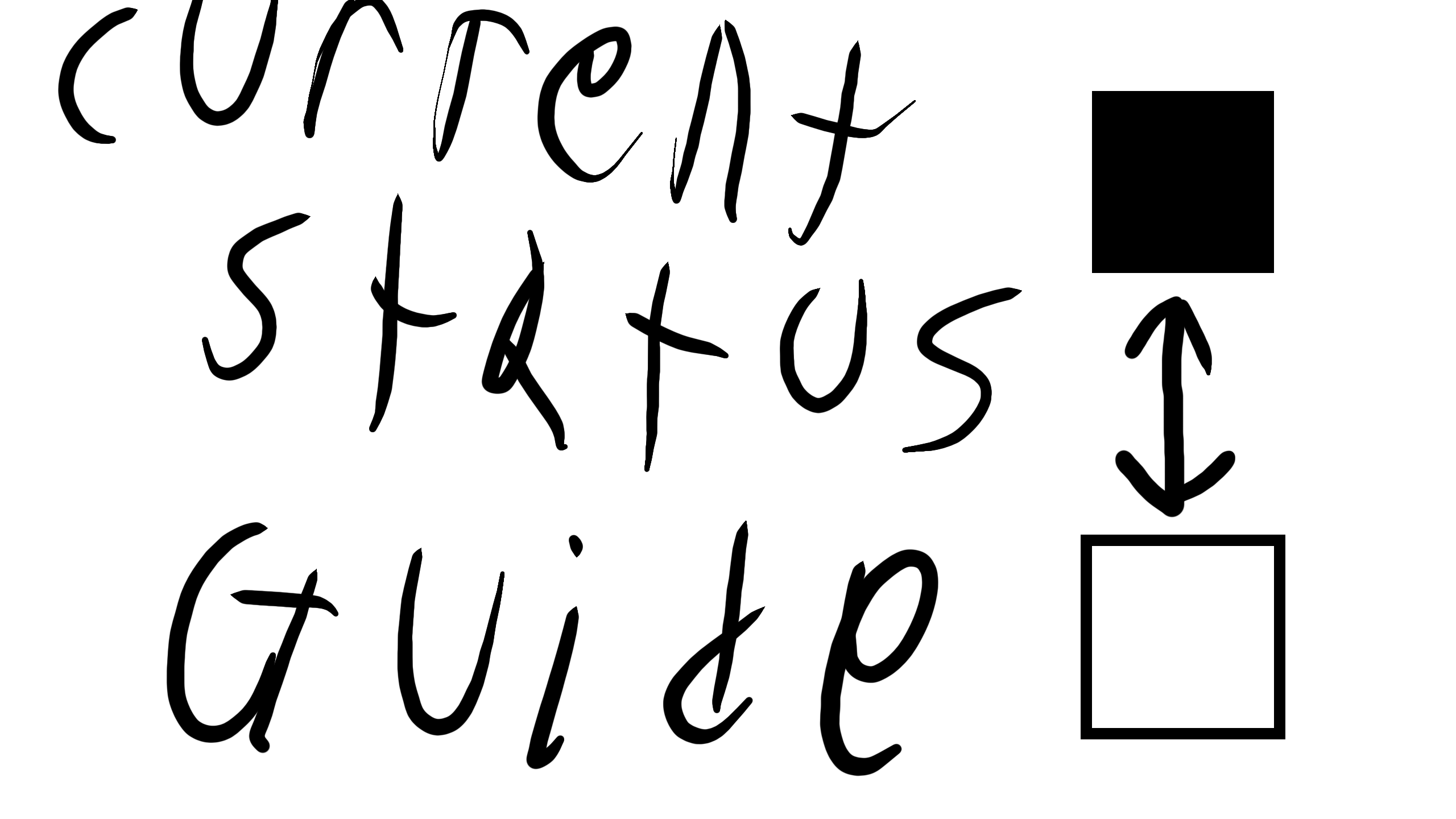
If "online ■" is seen, then I am online and you see "offline □", but if you see "online □", then I am offline and you see "offline ■". If you see "taking a break ■" then I would be taking a short break (e.g. using the restroom) where I would come back to the game, but if not taking break then you instead should see "taking a break □".
Comments
9+
like
reference image
eraser
eyedropper
time taken
nsfw
flip
undo
paint with friends
private
used tools icons
500
100
25
5
1
The comment has been reported
The Colors! Gallery moderators will look at it as soon as possible.
delete comment?
just delete
delete comment and prevent this user from commenting on your paintings
report as inappropriate
confirm


Comments
04 Apr, 2026, 9:27 pm
If I am currently happy, then you should see "happy ■" but if I am not happy (as in for long durations of time, not just being angry for 5 minutes) then you otherwise should see "happy □". And if I no longer use this account and use a different account (as in permanently), then you would see "moved account ■" and also my new account username with an "at" (@) symbol in front of it. Otherwise, you should see "moved account □" and not the username of a new account with the @ symbol in front of it.
04 Apr, 2026, 9:29 pm
OK, now you can comment on this. Any new comments on this commenting section will be how I usually comment and not how I type descriptions or talk to Jens/any moderators/any developers.
I only made more comments and typing like this because I couldn't fit everything in just the description.
04 Apr, 2026, 9:29 pm
ok?
04 Apr, 2026, 9:31 pm
@Lucario_Studios my "current status" is in my account description
04 Apr, 2026, 9:32 pm
for example, if i am online, the "online" setting appears as "online ■" and the "offline" setting appears as "offline □"
04 Apr, 2026, 9:33 pm
i change the "settings" in my "current status" in my account description when required
04 Apr, 2026, 9:36 pm
Me too I believe...
04 Apr, 2026, 9:38 pm
@Lucario_Studios your "Status" in your account description is a great example of what i mean by "current status"
04 Apr, 2026, 9:39 pm
yeah @ProffesionalMedia67
04 Apr, 2026, 9:40 pm
@Lucario_Studios i just updated mine to make it look closer to yours (by saying which symbol represents what is true and what is false in status)
04 Apr, 2026, 9:41 pm
@ProffesionalMedia67 That's nice
04 Apr, 2026, 9:44 pm
@Lucario_Studios to make mine look closer to others, i added a "date last online" feature where it says "date last online:" and then the date i was last online (in MM/DD/YYYY format)
04 Apr, 2026, 10:01 pm
Ok @ProffesionalMedia67.... Ima try that
05 Apr, 2026, 6:50 pm
@pierced_heartt you better not be directing that at me
and even if i do get logged out, i could just log back in (so nice try)